How much does Google Ads cost?
How much does Google Ads cost is a good question that we hear at the beginning of every conversation when it comes to advertising on Google. We understand that every client initially wants to know how much Google Ads costs for their campaign.
The good news is that anyone with a website can create a Google Ads campaign. The bad news is that we cannot tell you right away how much the campaign will cost you.
There is no quick and accurate answer. It depends primarily on the price that others have bid for a keyword. That is why it is necessary to do a little analysis through some tools to find the minimum and maximum price for some keywords on which your business is based.
The price and position of the ad on Google are affected by some other factors that we will mention later.
But don't worry, through this text we will show you all the variables that affect the formation of the price in Google Ads.
So you will be able to understand the whole process yourself and determine the budget for advertising on Google Ads.
What factors affect the cost of Google Ads?
As we have already mentioned, there is no simple and quick way to give you an answer, which would be the price of your Google Ads campaign.
It depends on your activity, current trends, but first of all on the price offered by your competition for certain keywords.
It depends on the area. It depends on whether you are a retailer or a wholesaler.
For example, legal and accounting services, insurance, real estate sales are areas where the cost per click, or CPC (Cost per click), is generally high. The reason is that the client can make a bill of several million dinars with one purchase.
That's why the competition calculates that one click can pay more than 10 euros and that it will pay off in the final sum.
On the other hand, there are many niches where the price per click is only a few euro cents.
No matter what the keyword is, you need to make a good strategy.
For some products, customers do a lot of research and need more time to make a decision. This means that they will return to your website several times until they make a purchase decision.
However, consumer trends and advertising platforms like Google Ads never stand still. Even when you start a campaign, you must frequently monitor changes and adjust your offer against the competition.
Sometimes an event can affect the price of advertising.
Take for example covid and the men's t-shirt keyword. In the middle of the corona, the price per click was over 40 Eurocents at one point. To date, this has reduced to an average of 3,600 Google searches per month for the keyword men's t-shirts.
At the moment, the minimum bid for the top of the page is 4 euro cents, and the maximum bid for the top of the page is 14 euro cents.
Use Google Ad Manager for Google Ads
For any keyword, you can check the price yourself in Google Ad Manager.
It is enough to go to the keyword planner, type in a keyword and discover some other keywords that it will offer you for the campaign.
Actually Google Ad Manager is the best tool for these things and it is completely free.
Recent research has shown that for highly profitable niches, the average ROI (return on investment) for Google Ads is 800%. This means that for an amount of 100 euros invested in Google Ads, it brings a turnover of 800 euros.
However, it all depends on how well you manage your account.
Because if you have the knowledge and follow the events within the campaign, you can save a lot of money in the advertising campaign by making changes.

You can let Google do all the work for you, but we do not advise you to do so. The reason is primarily that such a campaign will be much more expensive than setting it up yourself.
If you want your Google Ads costs to be lower and your return to be higher, you need to be aware of a few things.
First, maintain the proper structure of your Google Ads account. Make a report on the performance of advertisements at least once a week and optimize the ads based on the results. Analyze the list of keywords.
If necessary, remove some keywords and add others.
How does Google Ads determine cost per click (CPC)?
What's interesting about Google Ads is that it works like an auction. But that doesn't mean that whoever offers the most money will be the first.
You are probably wondering what kind of auction is this?
It's strange for everyone at first, but you will understand that in addition to money, Google Ads takes into account some other things to determine the place of advertisements on a page.
The first thing Google evaluates is quality. When one of us searches for something on Google, it looks to see if any of the advertisers are bidding on a keyword that is relevant to that query. If there are multiple bidders for that keyword, Google chooses the winner based on the Quality Score it assigns to each advertiser.
Ratings range from 1 to 10 and depend on the ad, the relevance of your page for that keyword, and the expected click-through rate based on your history.

Kako Google Ads odredjuje cenu po kliku (CPC)
Kako Google Ads odredjuje cenu po kliku (CPC)

Kako Google Ads odredjuje cenu po kliku (CPC)
Kako Google Ads odredjuje cenu po kliku (CPC)

Kako Google Ads odredjuje cenu po kliku (CPC)
Kako Google Ads odredjuje cenu po kliku (CPC)

Kako Google Ads odredjuje cenu po kliku (CPC)
Kako Google Ads odredjuje cenu po kliku (CPC)
Not to confuse you further, this means that if you have a high rating but have a lower bid for a keyword than someone who has a lower rating than you, it can easily happen that you are ahead of them.
That's why the place on Google Ads is not determined by the highest price, but also by the rating you get from Google Ads.
With the help of its tools, Google calculates the ad rank of all providers for a keyword.
This is how it determines where and in which place it will place more ads.
In practice, this means that the quality score is multiplied by your highest offer and whoever has the best result is in 1st place.
But this means that Google doesn't necessarily have to charge the highest bid you've given it.
What is a successful click through rate in a search campaign?
The most popular way of advertising on Google Ads is CPC (Cost per click).
This actually means that you don't pay for the display of the ad, but only if someone clicks on your ad. One of the important metrics for analyzing the success of ads is the percentage between the number of impressions and the number of clicks on the ad.
This is called CTR (click through rate). A successful CTR is from 3% to 5% for search campaigns, and 1% for display campaigns.
Anything over 8% for search campaigns is considered an exceptional result.
We have already explained the formula by which Google Ads calculates the price of ads. With a lower price and a higher rating, you can be the first.
And that's a good way because Google Ads doesn't give anyone an advantage that way. In the digital world, this means that your ad can be placed in front of a large company without any problems.
We mentioned that there are variables that depend on the position of your ad on Google.
We have mentioned the most important ones. Less important are the relevance and UX (user experience) of the website, quality at the time of the auction, location, user context, alternative bidding methods and ad formats.

What is the best way to determine the budget in a Google Ads campaign?
This is very important for any client starting a Google Ads campaign. If not set up correctly, it can happen that Google spends the daily budget in a few hours or spends the monthly budget in a few days.
This often happens to inexperienced people who set up a search campaign and let Google manage their campaign.
And that's why many say that Google Ads is unprofitable and expensive.
However, you should do some research on how Google advertising works or leave it to an experienced agency. This does not necessarily mean that it will be more expensive in the final sum.
From our experience, a good marketer who has practical knowledge in Google Ads will always make you a cheaper and better advertisement than you.
So let's get started:
- First you need to determine how much you are willing to spend monthly on Google advertising.
- Then take a good look at which products are most important to you on the web pages and do keyword research for those products or services (we advise you to use Google Ad manager).
- Once you've done that, determine how much you're willing to pay the most for each keyword.
- Determine the average daily budget to form the monthly budget for Google Ads.

This will be quite enough to start with. You can do the shared budget feature later, but to start with, it's best to have each campaign have a separate budget. That way, you'll have a better idea of which ads are working and which aren't. Based on this, it will be easier to make changes.
But you should know that Google Ads will not spend the same amount every day. Sometimes it will be more than the daily budget, and sometimes less. Only at the end of the month will you see the total consumption, but it will always be around the set amount.
With a budget, you tell Google Ads how much you want to spend in 1 month.
By doing so, you limit the spending of your money for the purpose of advertising. Everything is very transparent and you will receive a detailed report every month on how much and where advertising was spent. Google may one day spend significantly more if it thinks it will lead to more clicks and conversions.
But on a monthly basis, the consumption will be close to the amount you set.
The monthly budget is determined by the client and by dividing by the number of days in the month, we get the daily budget.
To know that the largest number of agencies do Google Ads campaigns at the level of 1 month.
Use the keyword planner within Google Ads Manager
Use the best tool to determine what price to set for each keyword. And that is the keyword planner within Google Ad Manager.
There are other tools, but even the best marketers must use Google Ad Manager. It is free, provides a lot of relevant and true information. It also has additional tools and results, so you can see when and in what period a certain keyword is searched more or less.
You will also receive a list of similar keywords that will surely help you to do a better campaign on Google Ads.
When you advertise on Google, you have the right to create several campaigns, each with a different budget. It often happens that some ad spends the daily budget, and some does not. That's why you can change your budget during advertising by better optimizing your spending for each campaign.
At the end of the month, you will certainly see in the analysis how much was spent for each ad per day for all campaigns. It might seem a little confusing, but you'll figure it all out very quickly.
You can play with the daily budgets to see how it will affect the daily consumption, i.e. sales over 1 month.
You need to advertise for at least a few months to figure out what works best for you and how much your monthly budget should be.
In Google Ad Manager you will find everything you need for bidding and what amount your competition has offered for each keyword.
Always try with the minimum price or something slightly above it.
Track and change the amounts for each keyword as you see fit. To know that once an ad has been placed in Google Ads, it is not a done deal. As we mentioned, you need to monitor each campaign to get the most clicks and conversions for the lowest possible cost.
Try to make your quality score as high as possible so that you pay as little as possible for the ad. Monitoring will ensure that your keyword bids are good and that you are a successful competitor.
If you bid manually you can set a maximum CPC per ad group or you can set different bids for each keyword in that ad group.
A worse and more expensive option is automatic bidding, but it's ok if you don't want to deal too much with analysis and costs.
What else affects Google Ads costs?
Just as there are elements that influence the quality assessment of each ad, i.e. website, there are other factors that depend on the position of your ad. There are methods with which you can save on your monthly budget.
Ad scheduling is actually deciding when and to whom your ads will be shown. This is where you will define to Google Ads when you want your ads to be displayed.
This is particularly useful for some industries. For example, if you are a bakery and you work from 6 am to 4 pm, it might not make sense to advertise after hours because you probably don't have online sales.
If you are an e-commerce company, it makes sense for your advertisement to run 24 hours a day. Basically it all depends on your business and niche.
There is a useful alternative. Your campaign can run 24 hours a day, but your budget can be higher during certain parts of the day. Thus, you will get increased visibility during a part of the day when it is needed.
After a month or two of the campaign, with a little better analysis, you can optimize it for each ad.
Geotargeting is very important for all businesses, especially small ones.
Within the budget, you can allocate larger funds for advertising for certain areas. This technique is also known as location targeting. Geotargeting allows an ad to be displayed only on Google in certain areas.
It can be the whole country, city, municipality or a small part of the city where your store is located.

Google Ads geotargeting is a great way to take advantage of the mobile search and on-the-go shopping trend.
And here you can have a budget that differs at the level of the state or city, and even the neighborhood.
Many people are not aware that 80% of searches take place via mobile. That's why, since a few years ago, Google attached great importance to web sites that are adapted to mobile devices.
It is even recommended that the development of each website is done first for mobile devices and only then for desktop devices.
How to plan pay per click and daily budget?
Long gone are the days when people surfed exclusively on computers. Today, there are several devices from which visitors access the Internet. Searches via mobile phones are definitely in the first place.
This means that you have to pay special attention when creating an ad that will appear on a mobile phone.
You can limit the display of the campaign to desktop devices only, although we don't think this is useful. That's why we recommend that every ad be displayed on mobile phones, desktop devices and tablets. Determining the daily budget and how it will be spent is the most important factor in budget planning for PPC (pay per click).
Once you master the basics of Google Ads, there are advanced features that can better target your audience and reduce your budget.
We hope you understand how the basic Google Ads advertising process works. We'll come back to the question of how much does one click cost?
It depends on the area where you intend to run the campaign. The price for the men's t-shirt keyword differs whether you run an ad in Serbia or France.
As a rule, the price per click is always much lower in Serbia than in the West Europe.
You can check all prices for keywords in Google Ad manager. How ungrateful it is to give someone a price off the top of your head is proven by the fact that the price of one click ranges from a few eurocents to several hundred euros. Just in 1 click!
The most expensive clicks are for insurance, lawyers, loans, donations and education. Digital marketing is quite different from traditional advertising.

In newspapers, you pay for the amount of space you occupy on the page, while on the website, the size of the ad is determined by the owner and is the same for everyone.
As we explained to you, the ad price is actually affected by how much your competition bid for a certain keyword.
This means that it is better to avoid the keyword "roof repair" and use "how much does roof repair cost" for the campaign. If you have a bigger budget, use both keywords, and if you have to somehow fit in, use keywords that have a lower price and a sufficient number of searches.
This may sound easy, but it really isn't.
If you are running campaigns for the USA, UK, Germany, Italy, Australia or Switzerland, know that the cost per click can be incredible for our opportunities. You can't advertise there with a small budget.
But in proportion to the budget, turnovers are also high. But that is another dimension of business.
To begin with, it is more than enough to limit your advertising on Google Ads through search and display campaigns.
As a rule, we are much better, but also more expensive search campaigns. But if you choose, we always give priority to the search campaign.
If you want to save money, it's not a bad idea to consider long tail keywords. Searches for them are much lower than for some general keywords.
But they are many times cheaper and have a much better performance when it comes to sales. And that's actually the goal of all advertising!
We will give you an example, monthly men's shoes in Serbia are searched an average of 8100 times and the price per click is currently 0.12 euros. Google Ads Manager gave us another 42 suggestions where no one had ever bid for a large number of keywords.
This means that you will set the price, and even better than that you have no competition for that keyword.
Practically, your ad will be the only one in the search.
Long keywords, despite having fewer searches, are actually more commercial. It is important that in the aggregate they have a larger search volume and a lower cost per click. Tools like Semrush and Ahrefs are great for research.
We use them, especially for SEO research.
The only downside is their high price!

How important is Quality Score in Google Ads?
Quality Score is a user experience rating that is obtained based on your campaign and the landing page on the website for a keyword.
Ratings are from 1 to 10.
There are reports where you can check the quality score for each keyword. The essence of the rating is an indicator of how useful your campaign is to consumers.
There are 3 factors that affect the Quality Score:
CTR (click through rate)
means how likely someone is to click on your Google ad for the keyword being searched for.
Ad relevance(ad relevance)
proves whether it makes sense for your ad to appear for a specific keyword, i.e. whether it is relevant for it.
Landing page experience
it tells whether the information on the landing page matches what the ad is offering and vice versa.
Now we come to the question of how to improve the quality rating? All ads and pages on the website where they lead should be fine-tuned. It's the most effective way to improve CTR, ad relevance and landing page experience.
CTR shows how many people who see your ad click on it and go to your website. It is very important and should be used to evaluate the success of each ad. Based on its results, we make ad corrections and later compare the results to see if we managed to increase the CTR.
It can be "average" or "above average" which means that there are no big problems with CTR for your keywords.
It is not good when the result is "below average" and it is a clear signal that something needs to be fixed. The simplest way you should start is to increase the mention of your keyword in the ad.
But don't overdo it in any way.
Ad relevance is another way you can improve your Quality Score. Here it is important how well the keyword matches your ads.
Here too there are three statuses as for CTR - Average, above average or below average.
That's why it's important to pay special attention when writing an ad. But the good thing is that even if you make a mistake, you can easily and quickly correct the ad text in Google Ads.
Because a good ad tells your potential customers what value you can provide them.
We still need to improve the landing page experience.
First, it is important that the ad and the landing page have the same keyword.
To make it easier for you, you can ask yourself a few questions:
Is my website organized well?
Will that website be useful to someone who clicks on the ad?
Is everything clearly explained on the landing page?
Does our website have the keywords we have advertised for?
Make sure that the ad leads to exactly the page that the visitor wants. This means that if you advertise men's polo shirts, clicking on the ad should lead to the men's polo shirt category. Do not let clicking on the ad take you to the entire men's collection or any other category.
Take care to avoid pop-ups when visitors arrive on your website. This will create resistance from visitors and is not good for SEO.
This often causes them to leave the page without viewing your website.
This is one of the reasons why it is important to have a well-designed website, with good texts.
It is important to:
That you have good and useful information.
Links to other pages so visitors can explore your website
A clearly displayed shopping cart if you are e-commerce
Contact information
There are many more factors, but this is enough to get you started.
It's a good idea to use multiple ad groups instead of placing all your keywords in one ad group.
Group your keywords into similar categories, and then start creating ads that are relevant to each category.
How to find the best keywords for a Google Ads campaign?
There are a lot of ways, but not all of them are that good. We use only two tools, GA4 and keyword tool within Google Ad manager. These are free Google tools that will be quite enough for you.
There you will find various keywords that you would never have thought of. You will see how much they are in demand and what is the price per click.
Keyword Tool will give you suggestions and variations, so you won't waste time and make mistakes with keywords.
In GA4 you can check how you stand with certain keywords. If you don't have a big budget, it might not be a bad idea not to publish an ad for some keywords for which you are already at the top of the search. But if you can stand it, it wouldn't be bad if you still have an ad for the terms for which you are in the top 3 on Google.
Check what and how the competition is doing, and it will be enough to review the first and second pages of the search.
You will get some ideas and you will be able to easily conclude where they did well and where they went wrong.
If you want to have good results and make the most of your budget, don't fall into one of the most common traps:
Avoid wasting money on a bunch of useless keywords without any plan and order. That way, you'll only turn away a potential customer when he realizes that your landing page isn't what he was actually looking for.
Do not make the ads have a home page as a landing page, but make a link exactly to the product you have advertised.
Measure and analyze results. It's not a difficult and complicated job, and it can make a big difference.
Change ads that aren't working. It's normal to make mistakes, it happens to everyone.
Don't forget campaign optimization. Sometimes quite a bit is enough for the results to explode.
Analyze the competition. Already in the text itself, you will see whether they are good or not.
Measure conversions. It's the best way to determine whether or not an ad should continue its journey.
Take care of ROI (return of investment).That's the best way to know if the campaign paid off.
Let's not forget AdSense and the Display Network
So far, we've only talked about one advertising channel on Google. However, there are others, and AdSense and Display Network are definitely worth mentioning.
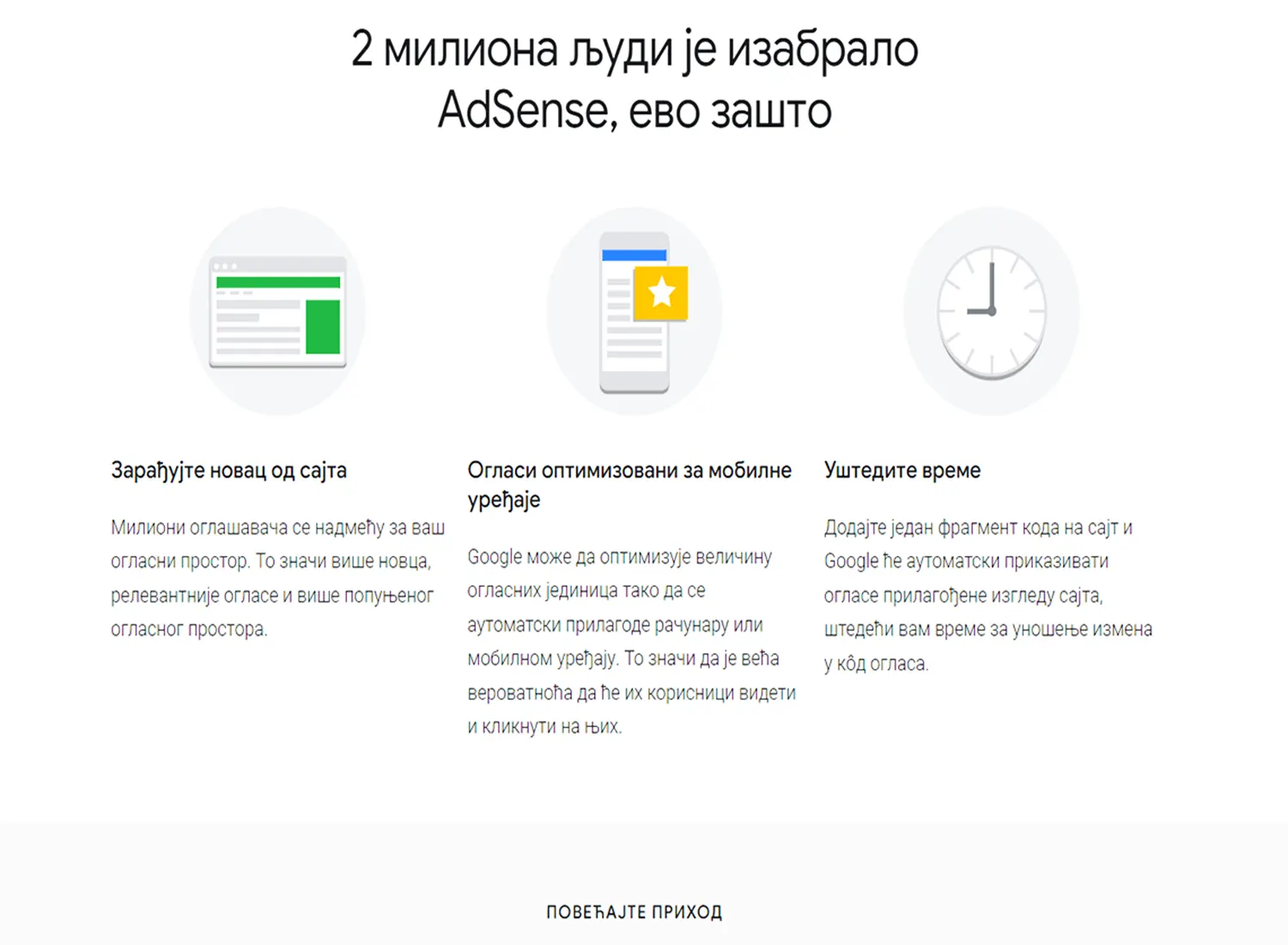
What's AdSense
You must have noticed that there are advertisements on many pages on many websites. Some are leased and paid directly to the website owner, while most other ads are leased from Google. This means that Google shares the earnings with you to display ads on your website by doing all the work.
You don't have to worry about advertisers!
For each click, i.e. view, you get a pre-agreed amount. This way of earning is popular with informational websites, while it is hardly present with e-commerce websites.
A website owner who wants to make money from advertisements just needs to open an AdSense account and insert the code sent by Google to the place where he wants them to be displayed. But you should know that based on the content of your page, Google determines which ad will appear on your website. If you sell televisions on your website, there is a good chance that an ad will appear from a website that sells blu ray players.
Or, based on your search, an ad will appear on the website you opened for a topic you previously researched.
Mostly all search engines follow what you are searching for and accordingly send you ads in order to possibly buy something.
And Google does all this based on the advertisements that advertisers have created in Google Ad manager. On the basis of that database, it is not difficult for him to always insert an advertisement concerning the pages you have visited.
They are simply so powerful that there is no tool that will show more relevant results. And all this means that Google Ads and AdSense are part of one system.
On one side you have the seller and on the other side the advertiser.
Almost the perfect way to advertise!
To know that there is another way of advertising besides CPC. That's CPM (cost per mile). It is used less and calculated differently.
CPC is calculated not by the number of clicks but by the number of impressions.
With CPM, a fixed price is paid for 1,000 impressions, not 1,000 clicks on the ad.
The biggest part of Google's earnings, that is, Alphabet Inc., which, among other things, is the owner of Google, is Google Ads advertising. In 2013, they had advertising revenue of $51 billion.
In 2022, the revenue from advertising on Google was about 250 billion dollars. It's almost unbelievable how you can increase your traffic 5 times in 10 years for something you hardly notice on the page.
We also mentioned display campaigns on Google so that we don't forget them.
It's a type of ad that combines text, images, and a URL that leads to a website where the customer can learn more. There are many display ad formats, they can be as an image, animated or in the form of a video with or without text.
The most common form of these ads is within a banner.
Be sure that you have seen such ads without even realizing it.
Display ads also run on Facebook, but Google display ads have powerful audience targeting features and ad formats that other platforms don't even come close to.
The most important terms in Google Ads!
This won't be anything new for people who are already into this, but it will certainly help beginners to understand some terms or abbreviations.
So let's get started:
Google Ad Campaign
A Google Ads campaign contains your ad groups, which can be divided by location, ad schedule, budget, and so on. Campaigns are used to organize different categories of services and products. As an option, Google allows you to choose several types of campaigns.
Google Ads search campaign
These are actually ads that are shown to you when you search
Google Ads display campaign
Popular for online retailers. The most popular advertising channel after the Google search campaign.
Google Ads video campaign
Advertisement in the form of a video advertisement lasting from 6 to 15 seconds. Appears on YouTube.
App Campaign
It allows you to advertise your application in different places on Google
Google display network
Abbreviated as GDN, it is a network of websites that allow Google ads to be displayed on their pages. This is an optional setting for Google Ads users, so be sure to consider whether you need it
Conversions
A conversion is recorded when a user performs a specific action after clicking on your ad. Conversions can be micro, and it can be anything like going to the next page. However, macro conversions, such as the sale of an item or service, are much more important.
Keywords
Keywords or phrases are chosen to match or match the terms that users search for on Google. There are 3 basic types of keywords that differ in terms of matching. These are broad match, exact match and phrase match keywords
Ad Extensions
By using ad extensions, you can provide additional valuable information and increase the result of your ad
Bidding Strategies
It's a bidding strategy. As we have already written, every created ad goes through an evaluation process on which the price and position of your ad depends
Google Search Network
This includes publishing ads or campaigns on Google and its partner search engines
Conversion Focused
When you want customers to take a specific action on your website
Brand awareness
A way to raise awareness of your brand. Here, sales and conversion are not as important as the brand itself
Interaction Strategies
When you want to increase views or interactions on your ads
Product Awareness
When you want to increase awareness of your products or services with the help of Google Ads
Negative Keywords
We haven't mentioned them, but they are very important. They help prevent your ads from showing for certain keywords, hence the name negative keywords.
Impressions
Impressions represent how many times your ad was displayed on the search results page, regardless of whether someone clicked on the link or not
Click through rate
Known as CTR, it is a metric for the success of your PPC campaign and measures the ratio of how many search visitors saw your ad and clicked on it. It is measured in percentages, and the higher it is, the better
AdRank
The higher your AdRank, the higher its position in searches. It is determined by your maximum bid and your quality rating.
Quality Score
It's actually a quality score for your ad to help Google determine where you'll be in paid search
Ad Group
An ad group is the next level in Google Ads manager. We may not have mentioned it, but every campaign consists of at least two or more ads
Landing page
It is actually the page where visitors will come to your website by clicking on the ad in the search engine
Average CPC
It is the average price per click throughout the entire campaign. It is obtained simply by dividing the price of all clicks by the total number of clicks.
Maximum CPC
This is the maximum amount you are willing to pay for 1 click on your website. It can be set for one or all keywords in your campaign
CPM
Cost per mile is calculated at a fixed rate for 1,000 impressions of your ad in searches, regardless of whether the ad was clicked or not
ROI (return on investment)
It is a representation of how much your earnings are, i.e. profit after deducting all expenses.
Reach and Frequency
It's an option you have in the reports where you can see how many people saw your ad during a certain period. Reach is the number of unique users, and frequency is the average number of times it was shown to those users
Ad Schedulling
This refers to determining in which period and how your ad will be displayed. There are several options, they can be displayed 24 hours a day or as you choose
Demographic
In the settings, you can define your target group demographically, that is, to which people your ad will be shown
Conversion Rate
A conversion is a click, and as a result it can be a certain time spent on the page, a purchase, signing up for news from the website and other options.
Conversion Optimizer
Be sure to use this option!
It serves to optimize campaigns, and by activating it, you will certainly achieve more conversions
Language and Location Targeting
An excellent option with which you can show, for example, an advertisement only to Serbs living in France. Google Ad manager gives you the option of displaying advertisements by country, region, city or part of a city. In the language you want
Conclusion
If you are a new or future user of Google Ads, don't worry. It will be a bit complicated and confusing at first, but you will get the hang of it very quickly.
Google Ads manager is very good and very intuitive. Try some simpler options to get started, and if you need some training, we recommend a course on Udemy.com, and we would recommend Ivana Petrović as a local lecturer.
Don't rush anywhere, and if you need some help, write to us at info@smartthink.rs
Be sure to properly open your Google Ads account to publish campaigns. Let each type of product or service have its own campaign, and within each campaign you can have multiple ads. Make sure that the ad has a well-placed link exactly to the page of your website that corresponds to the content of your ad.
If you advertise vacations in Palma de Mallorca, do not allow the link to go to the page on your website where all the vacations in the Mediterranean are listed.
Take care of keywords, but don't forget negative keywords.
Analyze the competition to make it easier for you to achieve even better results. If you are doing a Google Ads campaign for Croatia for example, search the results in their market.
If you do not use a VPN, the simplest way is to add site:hr after entering the term in the browser (this is for Croatia, for France fr, for Germany de, etc).
It looks like this, men's shirts site:hr
Review campaigns and ads every few days. Correct the things you think are not good and optimize the ads.
You may need to change some or all of your ad text, display time, change keywords (whether subtracting or adding), display location, pausing or canceling some ads if they're not performing well, etc.
Don't forget to connect the website with your GA 4 account and Google search console. These are two free Google tools that are necessary for every website, but not only for Google Ads advertising.
You will not find better and more accurate tools with a lot of useful data that are also free!
However, we do not advise you to start without training. If you don't have time, better find someone who will help you.
Because the damage can be more than you expect. A good marketer can optimize your ad and save a lot of money.
Once again, feel free to contact us if you have any questions about Google Ads, SEO or website development at info@smartthink.rs